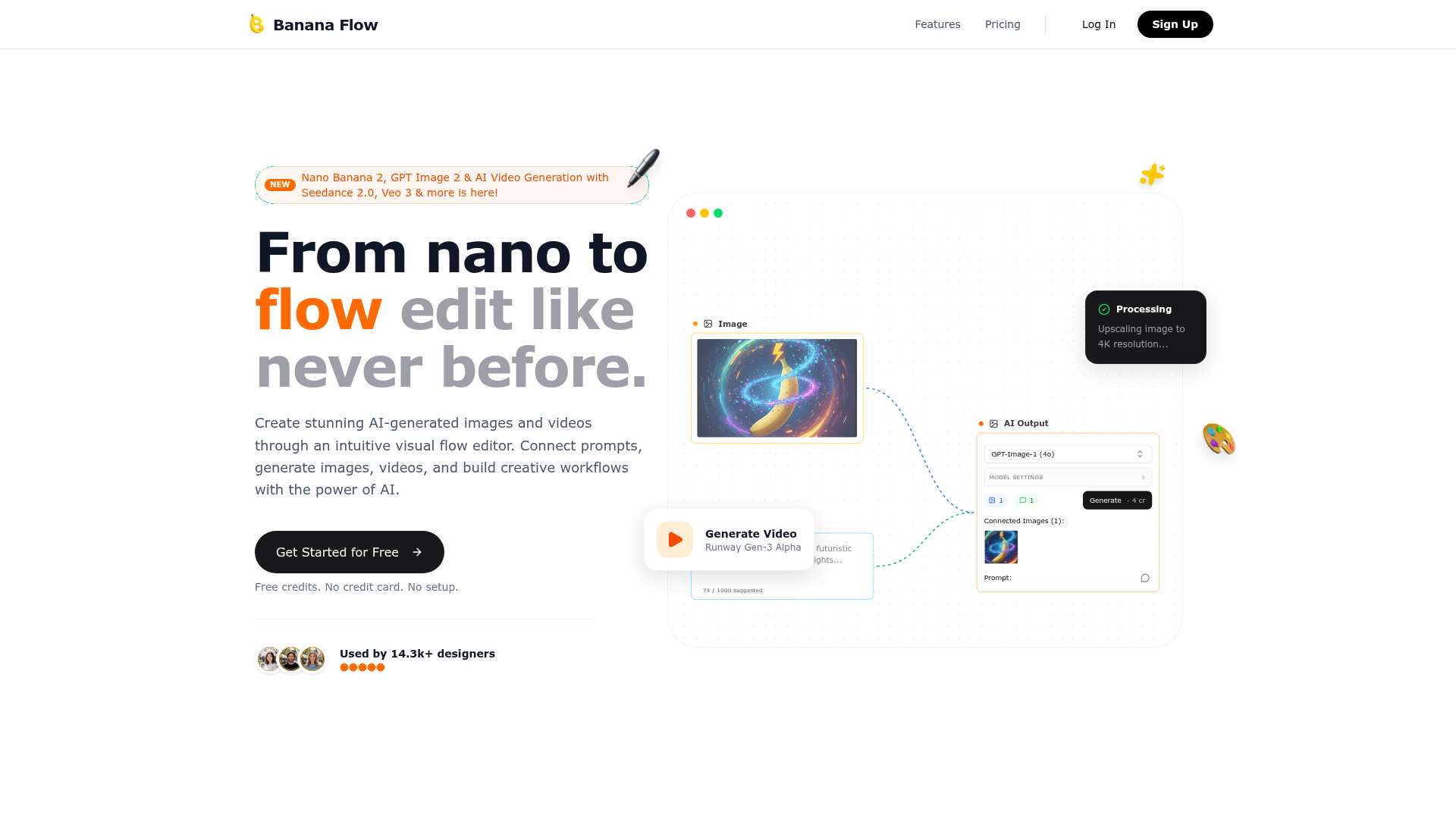
Most AI image tools give you a single prompt box and a button. AiBananaFlow takes a different approach — it gives you a visual canvas where you connect nodes together, building actual creative workflows. Think of it like a flowchart for your AI creative process. Want to take an image, upscale it to 4K, animate it into a video, and then pipe it to your social scheduler? You can set that whole pipeline up visually and run it whenever you want. Used by 14,300+ designers.
Visual Flow Editor. Drag and drop nodes to design your AI pipeline. Connect a text prompt to an image generator, feed that into an upscaler, link it to a video model — the whole workflow is yours to design and reuse. No coding, just visual logic.
Top AI Models. AiBananaFlow keeps pace with the best in the industry. It supports GPT Image 2, Seedance 2.0, Veo 3, Kling AI, and Runway Gen-3 Alpha for video generation. You're not stuck with one model — you pick the right one for each job.
Precision Control. Adjust guidance values, strength settings, seed numbers, and model parameters at a granular level. If you want full control over your AI outputs, it's all there without needing to use a CLI or API directly.
Iterative Refinement. The flow editor shows you real-time previews as you make changes. Tweak a setting, run the flow again, compare versions side by side. It's built for the kind of iterative creative process that actually produces great work.
Social Media Scheduler. Generate content and automatically schedule it to Instagram — the whole production-to-publish pipeline without switching between tools. More platforms likely on the roadmap.
Team Collaboration. Share your flows with others, collaborate on complex projects, and keep everyone working from the same creative pipeline. The Team plan includes 5 seats and shared board access.
Who Is It For?
Designers and visual creators who want more control and repeatability than a basic AI prompt box gives them. Content teams who produce AI-generated visuals regularly and want to systematise the process. Social media managers who need to generate and schedule content at scale. Anyone who's interested in video generation from Veo 3 or Seedance 2.0 and wants an interface to work with those models without technical setup.
If you just want a simple "type a prompt, get an image" experience, AiBananaFlow might be more than you need right now. But if you're doing volume work or experimenting with multi-step AI workflows, it's genuinely useful.
Best Niches to Use With
Pros and Cons
- ✅ Visual node workflow — build reusable AI pipelines without code
- ✅ Multiple top models — GPT Image 2, Veo 3, Seedance 2.0, Kling, Runway
- ✅ Free plan available — 20 credits/month, no credit card required
- ✅ Real-time preview and iteration built into the editor
- ✅ Social scheduler included — generate and post without switching tabs
- ✅ Team collaboration on the Team plan
- ❌ Pricing is in SGD — can feel higher for some regions when converted
- ❌ Learning curve for users new to node-based workflows
Pricing
The Free plan gives you 20 credits per month — enough to try it properly. Beginner is SGD 19/month for 1,140 credits. Pro is SGD 129/month for 7,740 credits with priority support. The Team plan at SGD 49/month includes 2,940 credits, 5 seats, and team analytics. All plans include unlimited boards and standard export formats.
Summary
AiBananaFlow is for creators who've outgrown basic AI generators and want something that works like a proper creative system. The visual flow editor, support for leading AI models like Veo 3 and GPT Image 2, and built-in social scheduling make it a genuinely capable platform. Start with the free plan — 20 credits and no credit card required is a very low bar to find out if this fits your workflow.
Try AiBananaFlow Free →