
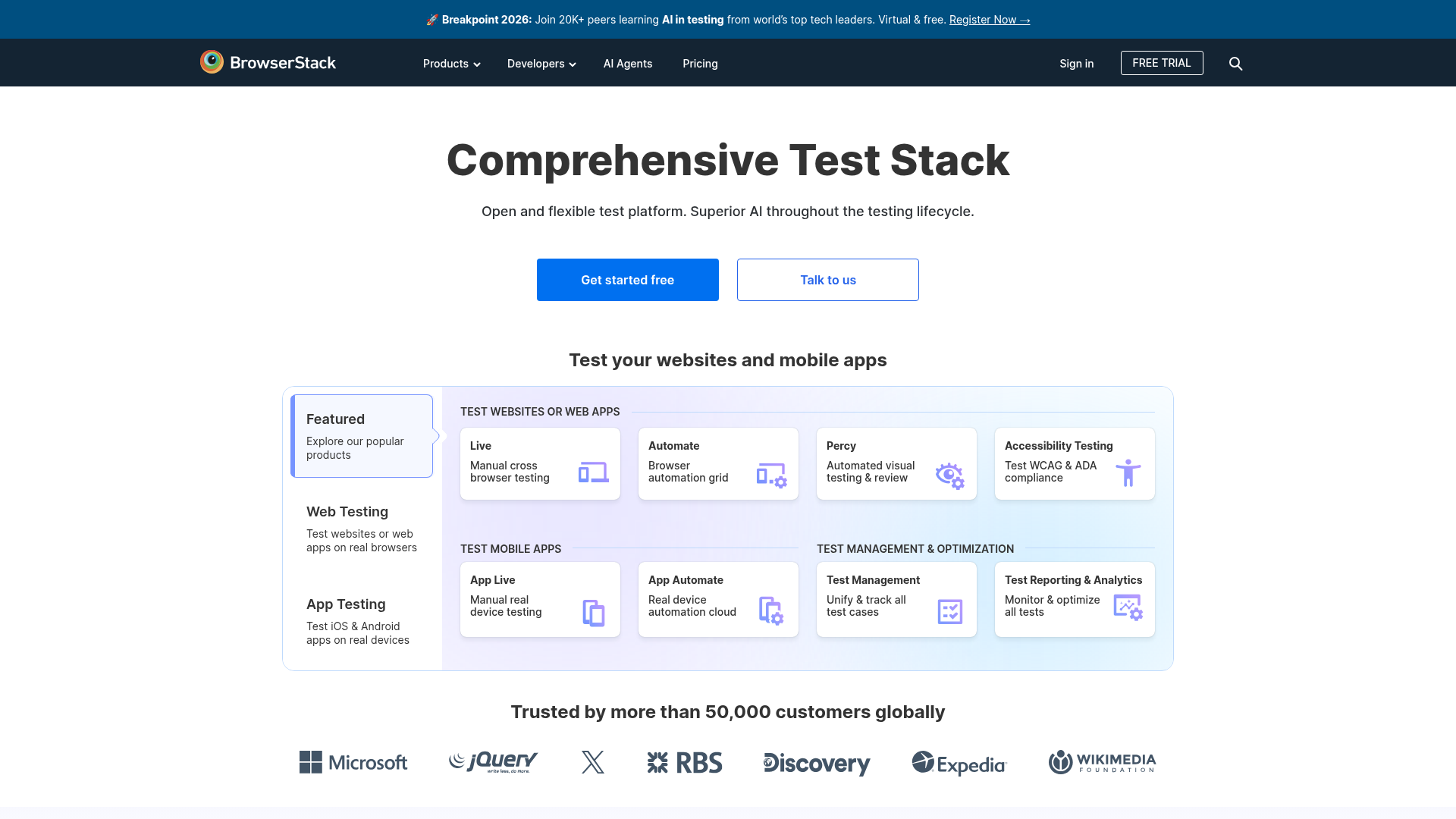
For creators who build websites, tools, or SaaS products, BrowserStack solves one of the most frustrating problems in web development — ensuring your site works correctly across every browser, operating system, and mobile device combination. Instead of buying 20 different phones or maintaining virtual machines, BrowserStack gives you instant access to thousands of real device and browser combinations in the cloud.
Live. manual cross-browser testing on real browsers and real devices instantly
Automate. browser automation grid for running Selenium, Playwright, and Cypress tests at scale
Percy. automated visual testing and review to catch UI regressions across deployments
Accessibility Testing. test WCAG and ADA compliance across all browsers and devices
App Live. manual testing of iOS and Android apps on real physical devices
App Automate. real device automation cloud for mobile app regression and integration testing
Who Is It For?
Web designers, developers, and creators who build websites or apps and need to verify how their work looks across different browsers, operating systems, and devices without physically owning each one. Also useful for content creators who embed interactive web experiences and want to ensure compatibility.
For creators who only need to ensure their standard website or YouTube channel looks correct, BrowserStack is overkill. It is a professional tool built for web development and QA workflows, not for general content production.
Pros and Cons
- ✅ Test across 3,000+ real browsers and devices
- ✅ No need to maintain physical device libraries
- ✅ Automated testing options for developers
- ✅ Live interactive testing available
- ❌ Expensive for individual use — better suited to teams
- ❌ Free plan has very limited testing time
- ❌ Primary audience is developers and QA teams
Pricing
BrowserStack has a free trial with limited minutes. Paid plans start from around $29/month for individual developers.
Summary
BrowserStack is a professional web testing tool that solves the real problem of cross-browser and cross-device compatibility without maintaining a physical device lab. For content creators who build web experiences, landing pages, or interactive tools as part of their workflow, it is a valuable quality assurance step.