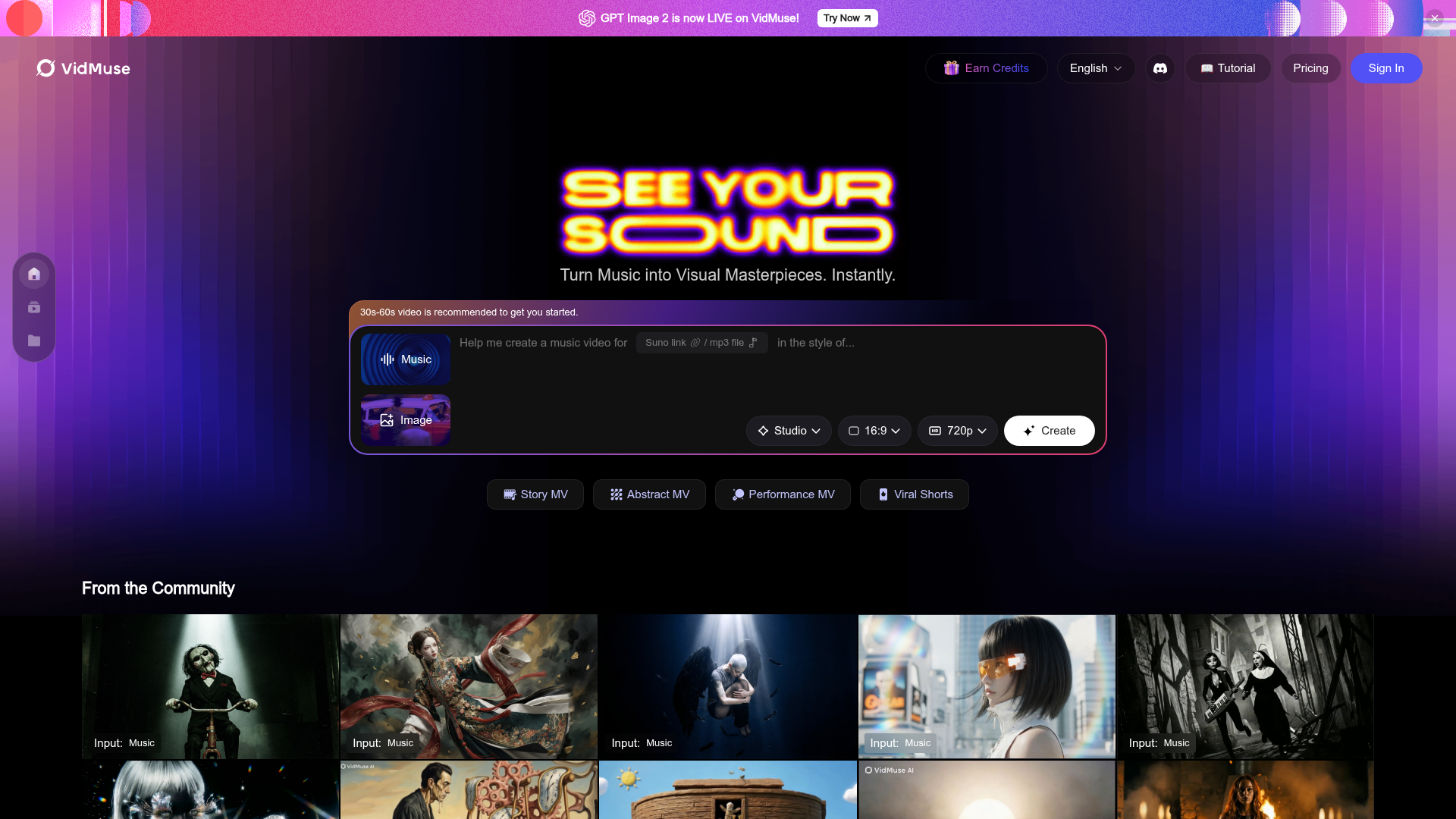
Getting a music video made used to mean either hiring someone or spending hours in After Effects. VidMuse changes the equation significantly — you paste a Suno link or upload an MP3, and the platform builds a music video around it. The output isn't a simple waveform animation; it's actual visual storytelling synced to your audio.
Four creation modes, four different vibes. The Story MV mode generates a narrative-driven video — characters, scenes, a visual arc. Abstract MV goes the other direction with flowing visuals and shapes that react to the music's energy rather than telling a story. Performance MV simulates a live performance, like the artist is actually playing or singing the song. Viral Shorts formats the output specifically for vertical mobile viewing on TikTok and Reels. You pick the mode based on where the video is going.
The GPT Image 2 update matters. VidMuse recently integrated GPT Image 2, which noticeably improved the quality of generated visuals. The images look more coherent and less obviously "AI" than earlier versions — which is a real difference if you're putting this out publicly. The community gallery on the homepage gives you a good sense of what's achievable before you commit any credits.
Aspect ratio and resolution options. You can choose between 16:9 for YouTube or widescreen platforms, 9:16 for Shorts/Reels/TikTok, and resolution settings up to 1080p in Studio mode. For most social media use you'll be fine at 720p, which generates faster and uses fewer credits.
Who actually uses this. The community gallery shows a wide range — everything from dramatic cinematic MVs for metal tracks to soft aesthetic visuals for lo-fi beats. The platform handles multiple genres well. If your music has a clear mood or theme, the AI has more to work with and the output tends to be more coherent. Tracks with very abstract lyrics or no vocals at all still generate fine; the AI just leans more into the sonic energy rather than literal imagery.
Who Is It For?
AI music creators making tracks on Suno or Udio who want visual content to go with their releases. Independent musicians with finished recordings who can't afford a videographer. Content creators who want something more polished than a static image over audio for YouTube. Anyone posting original music to social media who wants to stand out from plain audio posts.
Best Niches to Use With
Pros and Cons
What Works Well
- Accepts Suno links directly — no file export needed
- Four distinct visual styles for different platforms
- GPT Image 2 integration improves visual quality
- Community gallery shows realistic expected outputs
- Vertical format output for Shorts/Reels/TikTok
Worth Knowing
- Credits are consumed per generation
- 30–60s sweet spot — longer tracks need more credits
- Visual coherence depends on track mood clarity
- Studio mode (higher quality) costs more credits
The Bottom Line
VidMuse does something genuinely useful for music creators — it closes the gap between having a finished track and having something visual to post with it. The four creation modes mean you're not stuck with one look, and the Suno integration removes the friction of needing a file export. If you're already making AI music, this is the obvious next step for getting it in front of people.